A "5V Bypass Mod" for the PI040202-7X2C PCIe Card
· breq.dev

The article below was republished from the internal NURover Notion wiki. On the Rover team, we use a PCIe to USB card with four individual USB controllers to provide enough bandwidth for our camera streaming system (something I’ve posted about previously). As you can probably imagine, the USB system on the rover has very high current draw, and we’ve fried cards (quite dramatically) in the past.
Some PCIe to USB cards require a modification to pass through a high amount of current on the 5V rail. This page describes how to apply the modification.
#Do I need to perform a 5V Bypass Mod?
There are two types of “quad chip” PCIe card available: “B” variant and “C” variant.
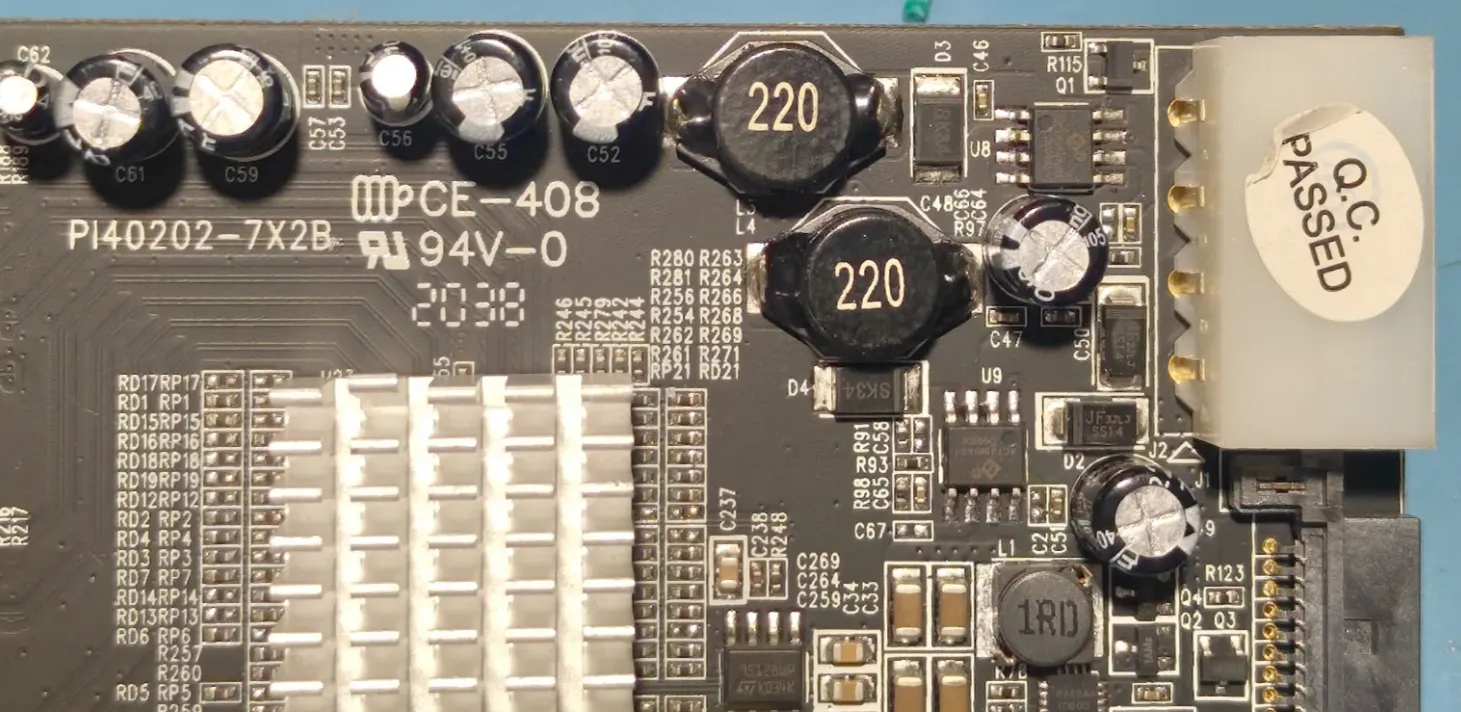
PI040202-7X2B (”B” variant)
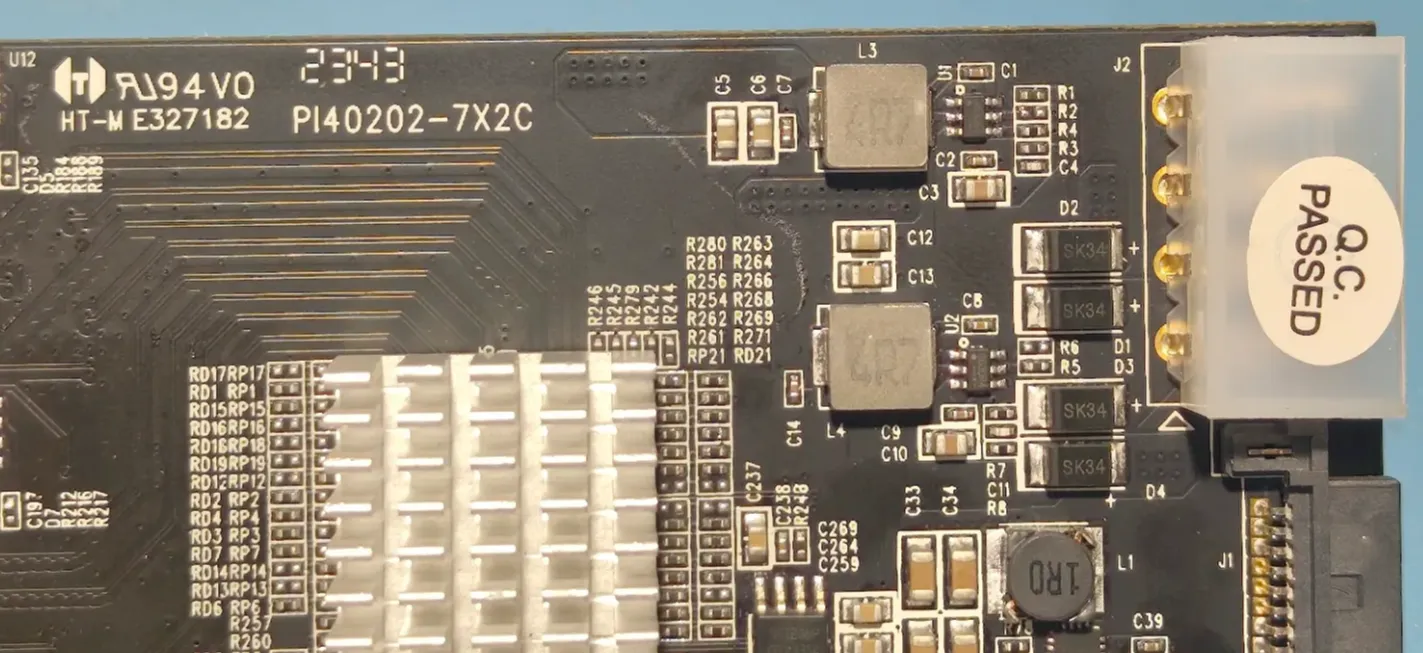
PI040202-7X2C (”C” variant)
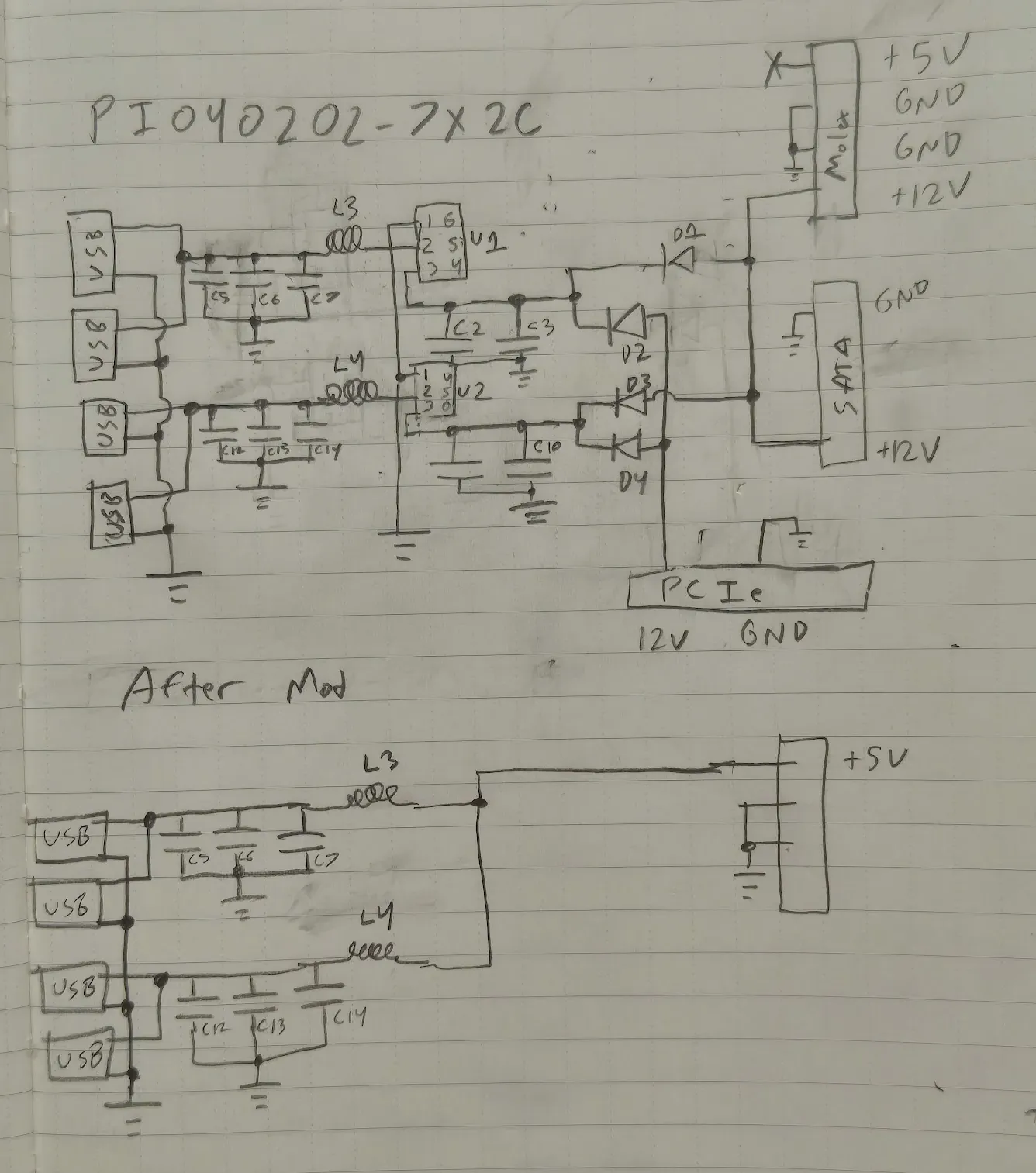
This modification is only required for the “C” variant. The “B” variant boards provide power from the +5V pin of the Molex or SATA power connector directly to the USB port (after some LC filtering). The “C” variant boards instead provide power from the +12V pin on the power connector, passed through a voltage regulator chip. This chip cannot handle the high current loads present on the rover.
Once performing this modification, the card can no longer be powered from the PCIe slot and will REQUIRE external power to operate.
#Removing the Voltage Regulators
The first step is to remove the 12V to 5V voltage regulator chips. There are two ways to do this.
#Hot Air
The least destructive method of removal is the use of a hot air workstation.
- Set the hot air gun to a temperature of approximately 450 F and turn the fan up.
- Apply heat to the chip.
- Once the chip is heated, use a small flathead screwdriver to push it out of position and away from its footprint.
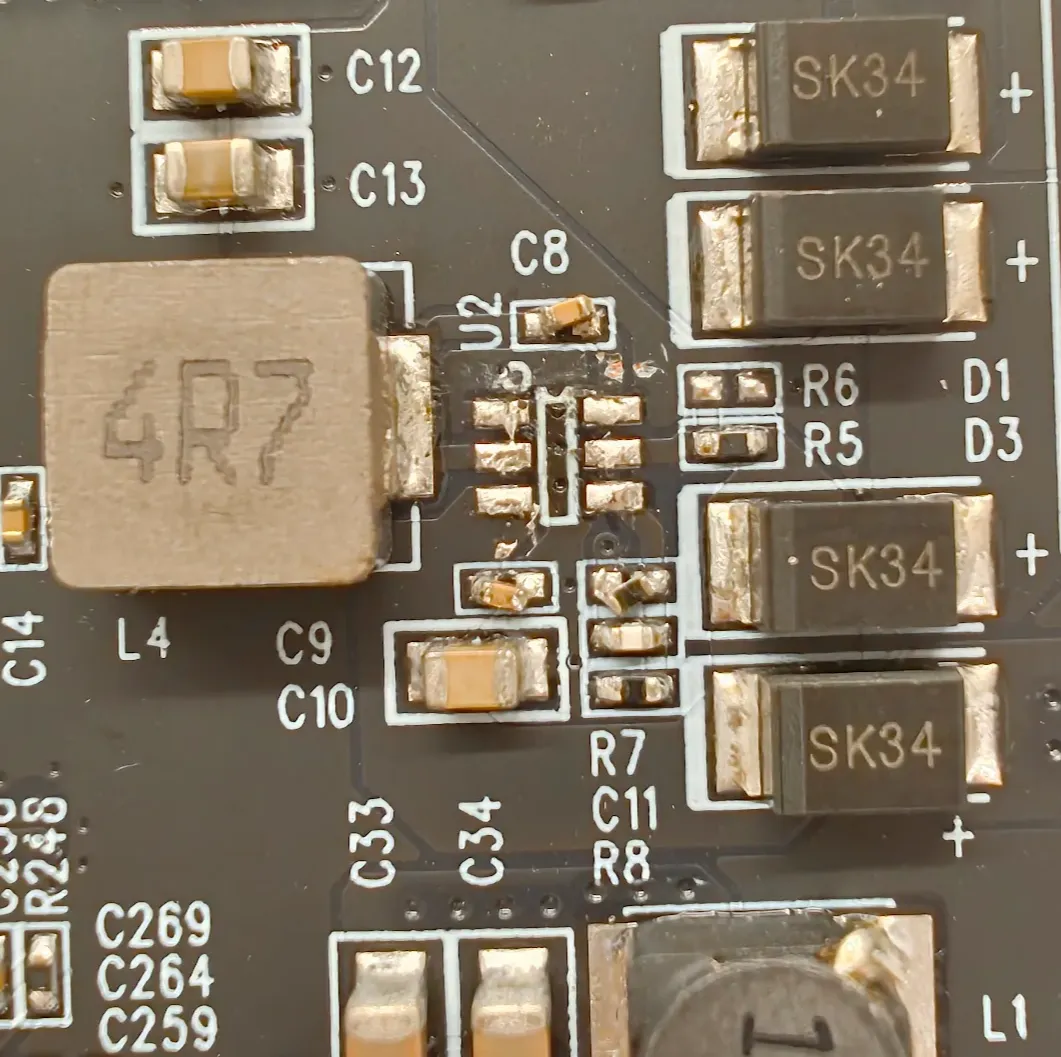
Notes on this method:
- Note that if you do not push the chip completely off of the footprint, it may reattach to a different set of pads. Just try again!
- It is okay if the components surrounding the chip start to move a bit — the soldermask and the surface tension of the solder should keep them roughly in place. Even if knocked off, components are for filtering the input side of the voltage regulator and are thus not needed.
#Cutting Tools
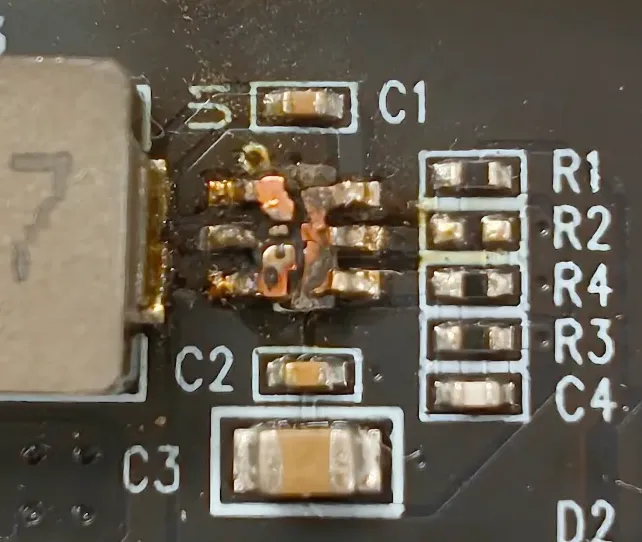
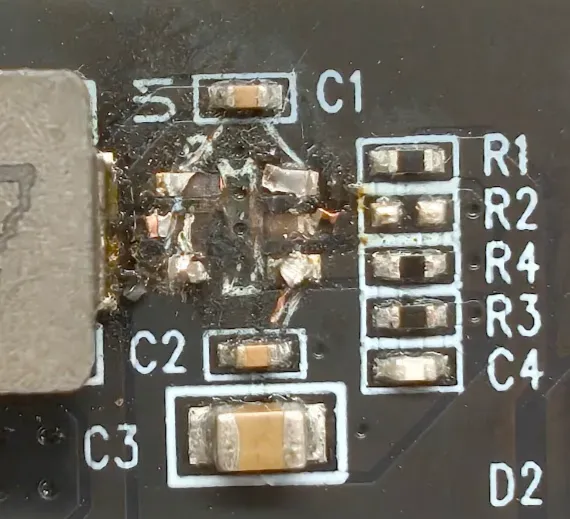
If the chip is burnt, you can use flush cutters to remove it.
- Remove the plastic casing of the chip by scraping it off.
- Using flush cutters, cut the legs of the chip off.
Notes on this method:
- Make sure to avoid lifting pads! If the pads are lifted from the board too much, they can flop around and touch each other and cause shorts. Trim the pads as far back as possible.
- This method gives you much less room between the pads of the chip and the side of the inductor you want to solder to, which makes soldering more difficult.
#Attaching Jumpers
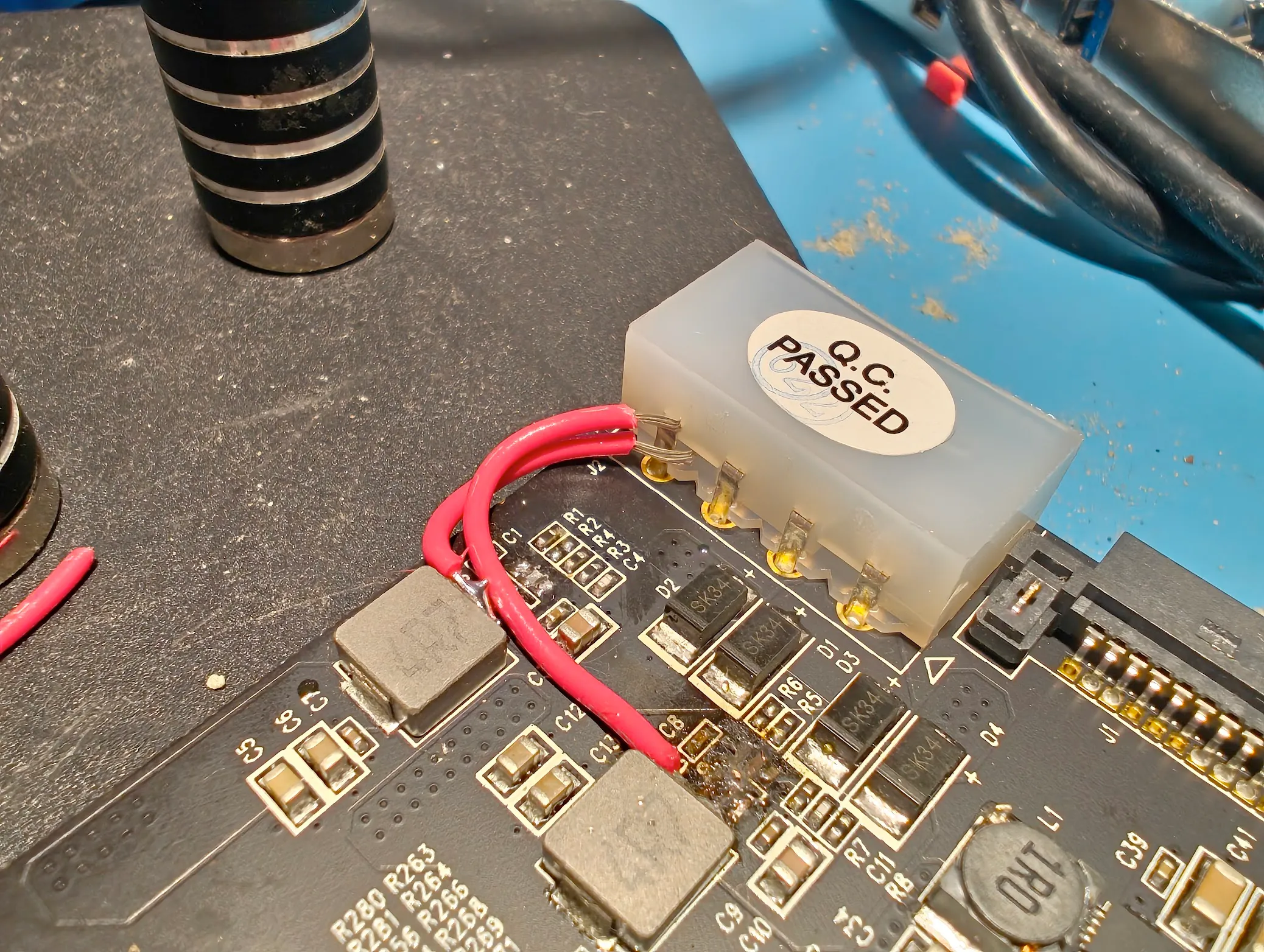
You want to bridge the +5V input from the Molex connector to the two +5V outputs that would have been coming from the regulator.
Your first instinct may be to solder to the 5V output pad where the regulator used to be. This is possible, but difficult to do by hand. A much easier approach is to solder to the input side of the inductor!
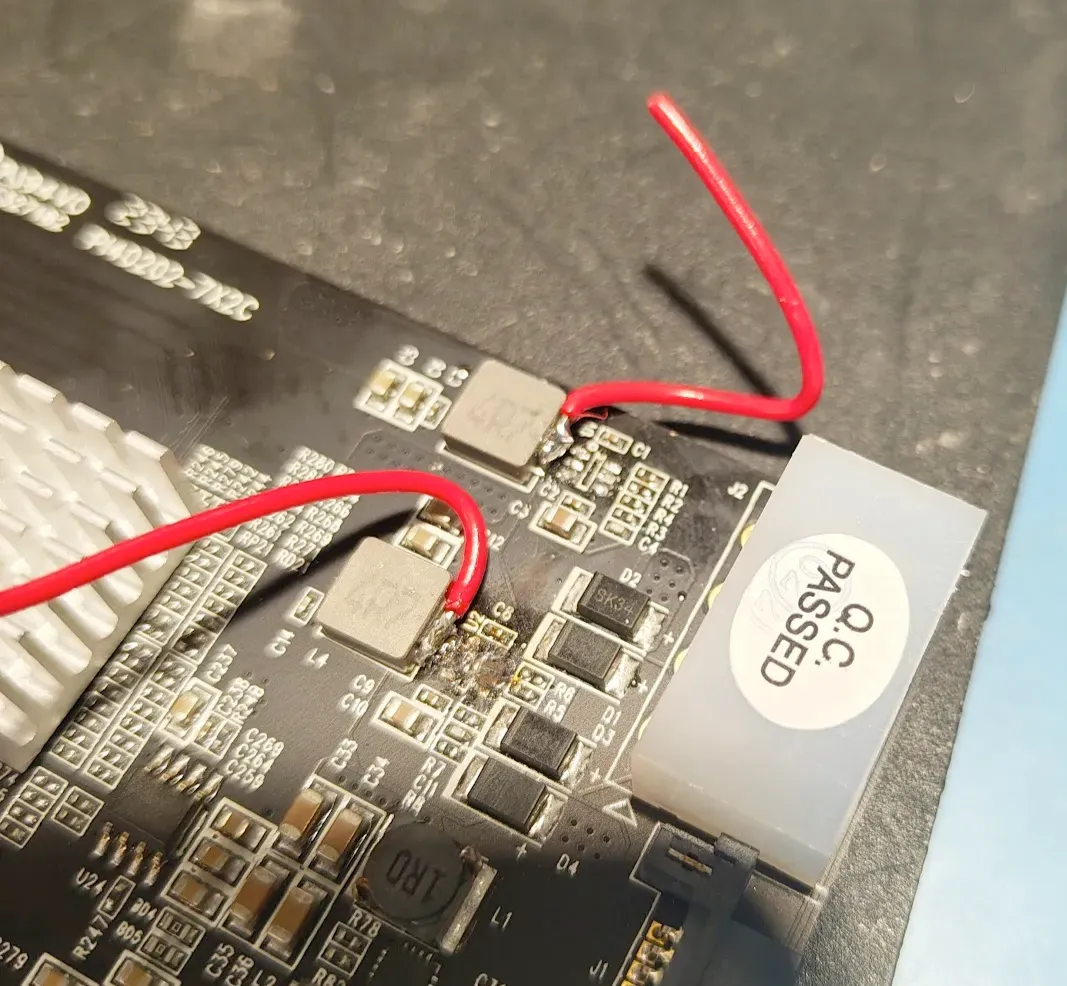
Drop a blob of solder on the side of the inductor. The picture shows slightly too much, I cleaned it up after. Don’t worry too much about making it pretty.
Cut a small length of wire (I used 24 gauge) and strip a bit at the end. Tin the end with more solder.
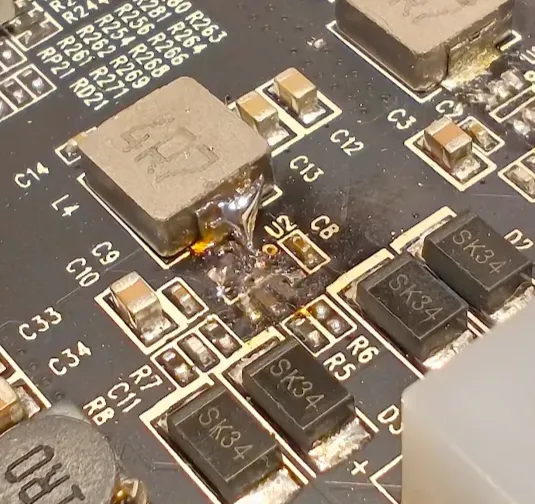
Finally, use one hand to push the wire into position and the other hand with the soldering iron to heat the pad. It may take a while for the inductor to get up to temperature — be patient!
The reason we were liberal with solder before is it frees up one of your hands — you don’t need to hold the solder while attaching the wire.
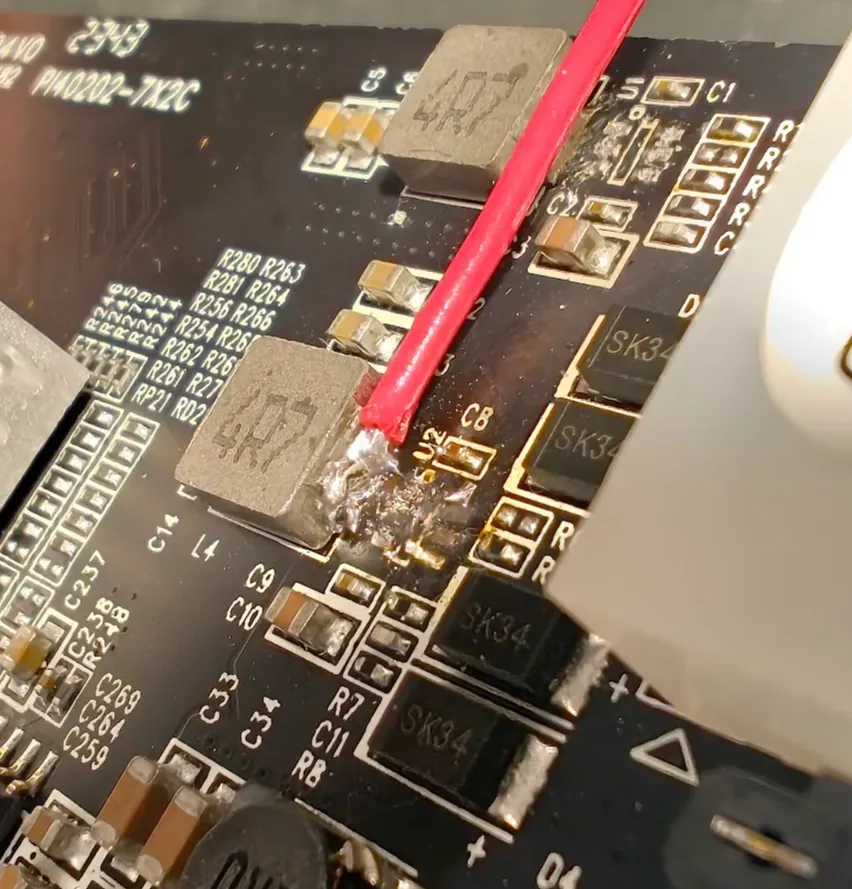
Repeat the process for the second inductor, attaching a second wire.
Trim the wires to length — you want them to attach to the +5V pin on the Molex connector (furthest from the PCIe connector on the card). You can line them up perpendicular style like so to attach both easily.
Finally, add solder!
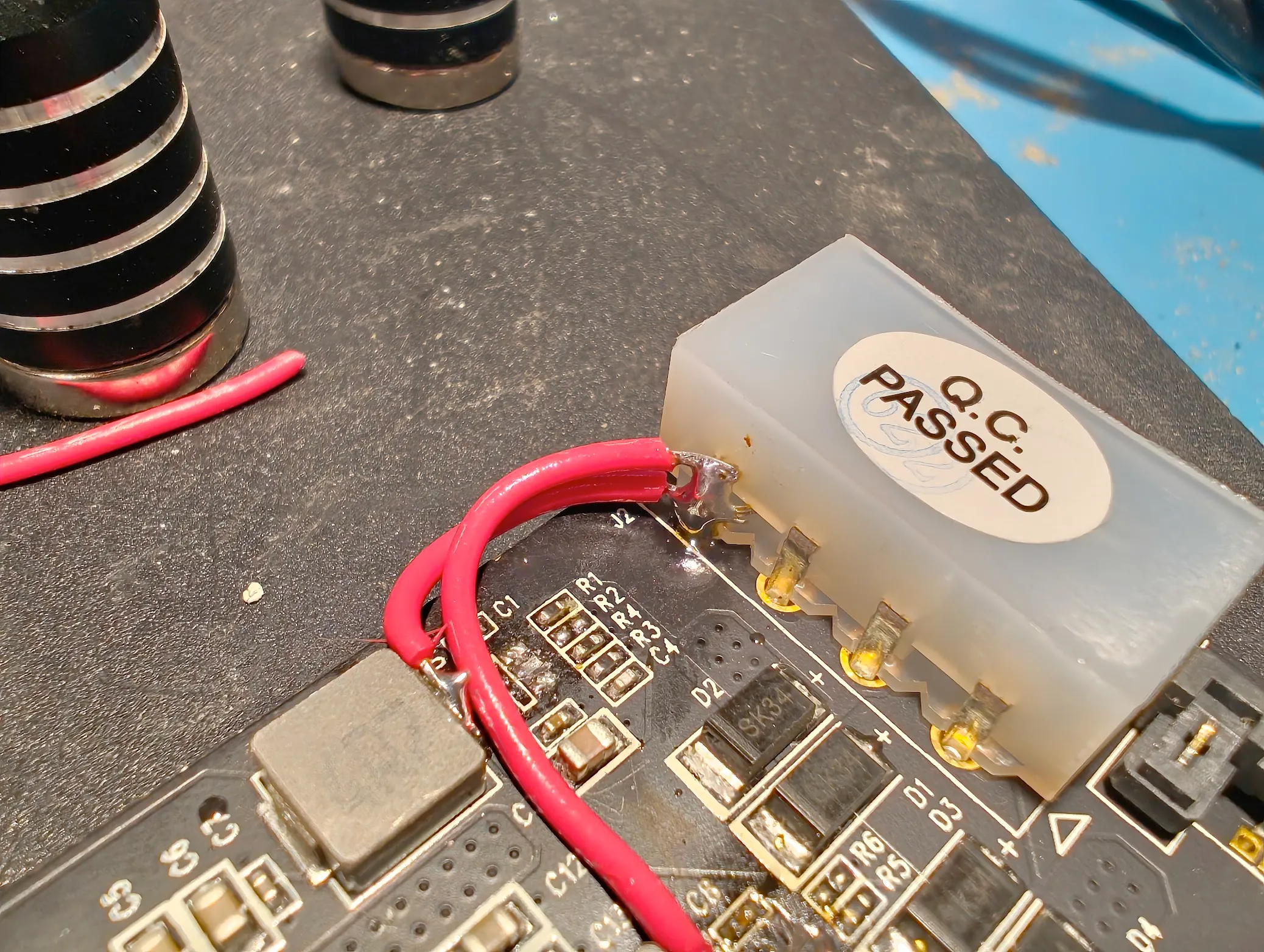
#Testing for Shorts
There are two shorts that you need to check for the presence for. The GND and 12V pins heading to where the voltage regulator was are very close to the pad on the inductor that you soldered to, and bridging is very possible. You can test this by checking connectivity between your jumper wires and the USB connector shielding (for GND) and between your jumper wires and the output side of diodes D1/D2 and D3/D4 (for 12V).
If neither rail is shorted, your board is ready to use!
#Schematic